Planning Wi-Fi for halls, offices and outdoor areas
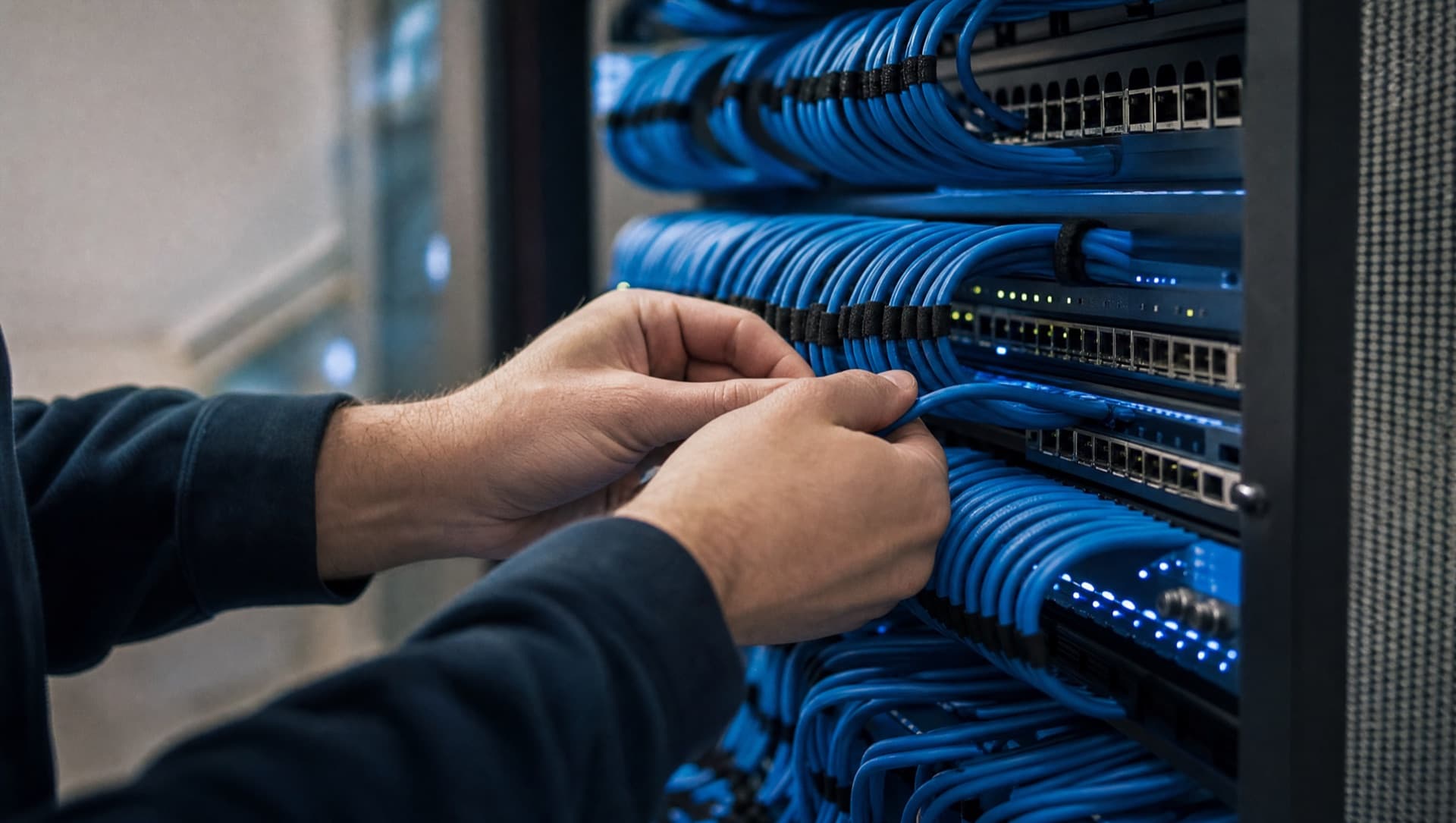
Planning Wi-Fi at work means treating the office, the hall and outdoor areas separately, as their requirements rarely match. In the office, a few access points with clean channel planning are usually enough. In a hall, racking, machinery and steel structures decide where the signal reaches, which can only be measured on site. Outdoors, weather, distance and usually a separate guest network come into play. Treat all three the same and at least one area ends up without working Wi-Fi.
Why isn't a coverage plan on paper enough by itself?
A floor-plan-based design shows the area, not what's sitting on it. Full storage racking, steel beams, large machinery and even stacked material dampen a Wi-Fi signal far more than an empty shell of a hall – and that's exactly the state things are usually in when planning happens, because nothing's been fitted out yet at that stage. The result: access points that look sufficient on paper, but once the racking is full, dead zones appear exactly where handheld scanners, mobile terminals or cameras are supposed to be used later. An on-site survey, ideally once the space is fitted out or at least partially so, shows far more reliably where access points genuinely need to sit.
- Survey coverage in a fitted-out or partially fitted-out state where possible, not in the empty shell
- Check high-device-density areas (picking, loading) particularly closely, not just the overall floor area
- Treat metal racking, machine blocks and steel structures as their own damping factors, not just walls
- Build in headroom for future use (more handheld scanners, more cameras) when sizing the access point count
How does channel planning work, and why can't it be left to chance?
Every access point transmits on a radio channel, and neighbouring access points on the same or an overlapping channel interfere with each other – the result is Wi-Fi that feels slow despite good signal strength, because devices share the channel and block one another. Without planning, every access point picks a channel automatically, which quickly leads to overlaps in densely populated environments, especially in the heavily used 2.4 GHz band. Clean channel planning spreads neighbouring access points across non-overlapping channels and uses the less congested 5 GHz band where possible for devices that support it. For businesses with many access points, a centrally managed Wi-Fi system that coordinates channel selection automatically makes far more sense than configuring every access point by hand.
What does roaming mean, and why do you only notice it's missing once you're in operation?
Roaming describes a device switching from one access point to the next as a user moves through the building, ideally without a noticeable interruption. Without clean roaming, a device often stays stuck on the first access point it connected to, even once another one offers a noticeably stronger signal – it only reconnects once the original signal is almost gone. In practice that shows up as dropped Wi-Fi calls, scanners freezing during picking, or connections cutting out across a site with several buildings. A Wi-Fi system with coordinated roaming, where every access point uses the same network identifier and coordinates with the others on when to hand a device off, prevents this.
Roaming problems rarely show up as a single error message – more often as a vague "the Wi-Fi is good sometimes, bad other times", a symptom that's easy to miss during troubleshooting because the signal at each individual access point looks fine on its own.
How do you cleanly separate the guest network from the business network?
A guest network should be technically fully separated from the business network, not just protected by a different password. That's achieved with a dedicated VLAN for guests that has no access to internal shares, printers or systems and, ideally, no direct access between devices within the same guest network either. That way, a compromised guest device has no effect on the business, and visitors or customers can use the Wi-Fi without anyone being able to reach the internal network. The same logic applies to Wi-Fi-enabled devices like cameras or sensors, which ideally also run on their own network segment, separate from the workstation network.
- Run the guest network on its own VLAN, with no access to internal systems or shares
- Where possible, isolate devices within the guest network from each other too (client isolation)
- Put Wi-Fi-enabled cameras and sensors on their own network segment, separate from the workstation network
- Time-limit guest access or rotate the password regularly instead of using one permanently unchanging password
Why does consumer hardware fail at work, even though it looks fine in a test?
Consumer routers and repeaters from electronics retailers are designed for home use with a handful of simultaneous devices. In a business with dozens or hundreds of devices connected at once – laptops, phones, scanners, cameras – they quickly hit their limits: they're not built to manage many concurrent connections, roaming between several devices from the same manufacturer often works only partially or not at all, and centralised management across multiple access points is usually missing entirely, so every device has to be configured individually. Business Wi-Fi systems are built exactly for this situation: more concurrent connections per access point, coordinated roaming, and a central interface through which all access points can be managed, monitored and updated together.
Mesh system or cabled access points? The comparison shows where each approach hits its limits in a business.
Mesh or access pointsWhat else needs attention for outdoor Wi-Fi?
Access points outdoors – on a company site, in an open storage area or at a loading dock – need an enclosure rated for weather exposure, surge protection on the feed line, and noticeably greater range per device than indoors, where walls and ceilings naturally limit the area. Where possible, power should run over PoE (Power over Ethernet) directly through the network cable rather than a separate outdoor socket, which reduces both installation effort and points of failure. Just as important: an outdoor access point that only works under perfect conditions but fails in rain or cold is of little use in practice – devices with an ingress protection rating built for permanent outdoor use aren't a nice-to-have here, they're a requirement.
How does NDVDL take over planning and running the Wi-Fi?
NDVDL starts with a visit on site: we look at which devices use Wi-Fi where, walk through the workflows in the warehouse, production and office, and measure coverage. You then get a written proposal covering access point locations, network separation and cabling. After installation we monitor and maintain the Wi-Fi on an ongoing basis, apply firmware updates and document every change – with one fixed point of contact who knows your setup.
If you'd rather not treat Wi-Fi as a one-off project, it can be looked after as part of a managed service together with the network, firewall and cameras.
Tell us where the Wi-Fi struggles today. We measure on site and then tell you in writing where access points belong and what it takes.
Request a Wi-Fi surveyFrequently asked questions
Questions about your IT infrastructure?
Talk directly to our team — no obligation, no detours.